Glowpod in the terminal
glowpod term is Glowpod as a terminal app: the same Glance view of your
cluster, the same plain-language answers and the same live resource lists as
the web dashboard, with keys instead of clicks. It's part of the glowpod
program, so there's nothing extra to install. It runs wherever your
kubeconfig works, including over SSH.
Install
macOS and Linux, with Homebrew:
brew install glowpod-dev/tap/glowpodWindows, with Scoop:
scoop bucket add glowpod https://github.com/glowpod-dev/scoop-bucket
scoop install glowpod
Or download glowpod for your system (Linux, macOS or Windows, Intel or ARM)
from the latest release.
On Windows, use Windows Terminal: older consoles draw the gauges poorly.
Start it
glowpod term                   # Glance, across all namespaces
glowpod term -n shop           # in one namespace
glowpod term -n shop deploy    # start on a table: pods, deploy, svc, any CRD
glowpod term -context staging  # another kubeconfig context
It reads your kubeconfig the way kubectl does (-kubeconfig, -context,
$KUBECONFIG, then ~/.kube/config) and acts as that user. Everything you
see and do is what your RBAC allows.
Glance and Deep
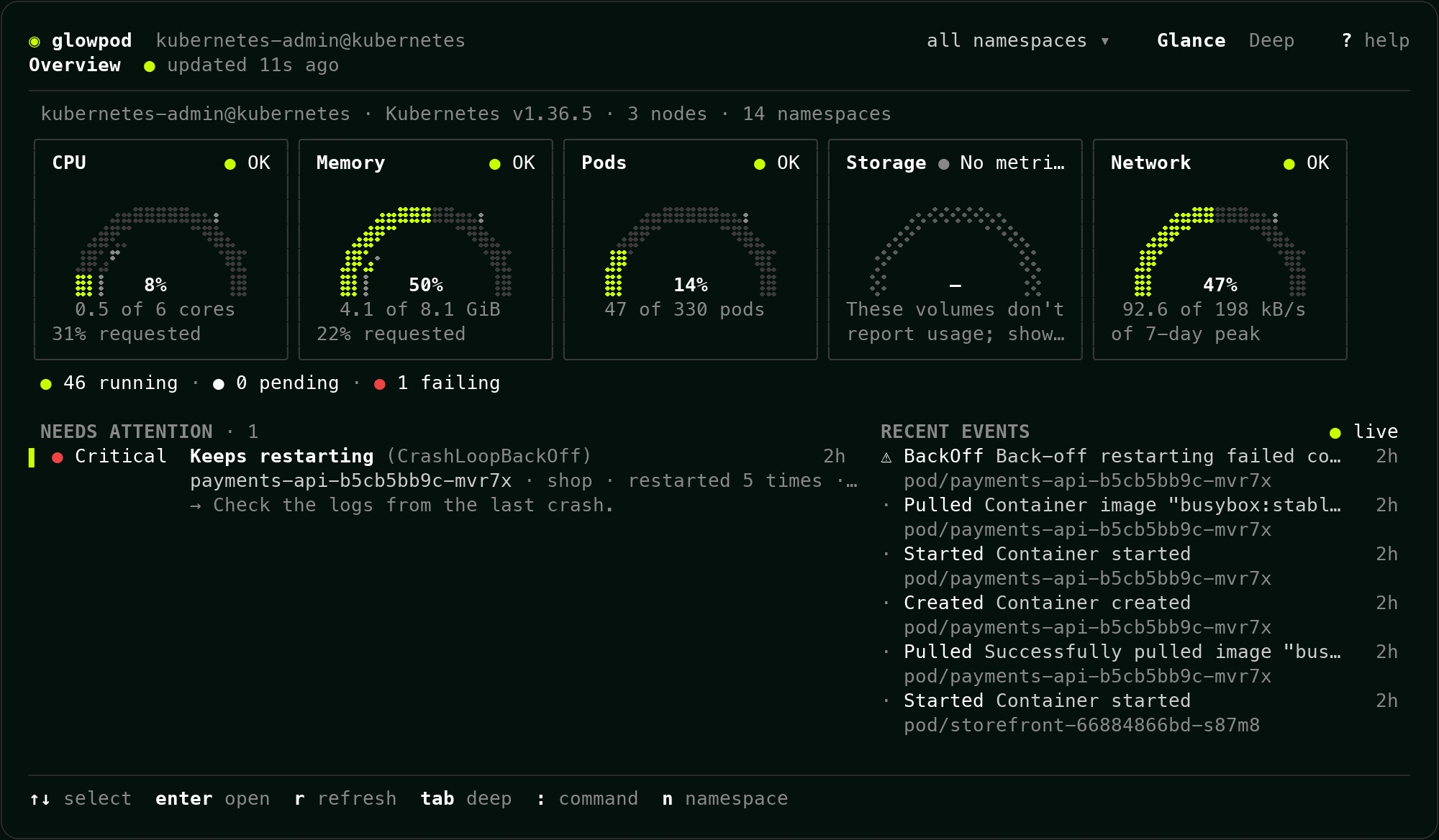
Glance opens first: the cluster's CPU, memory, pod, storage and network gauges, the things that need attention in plain words ("Keeps restarting (CrashLoopBackOff)") with what to check next, and recent events.
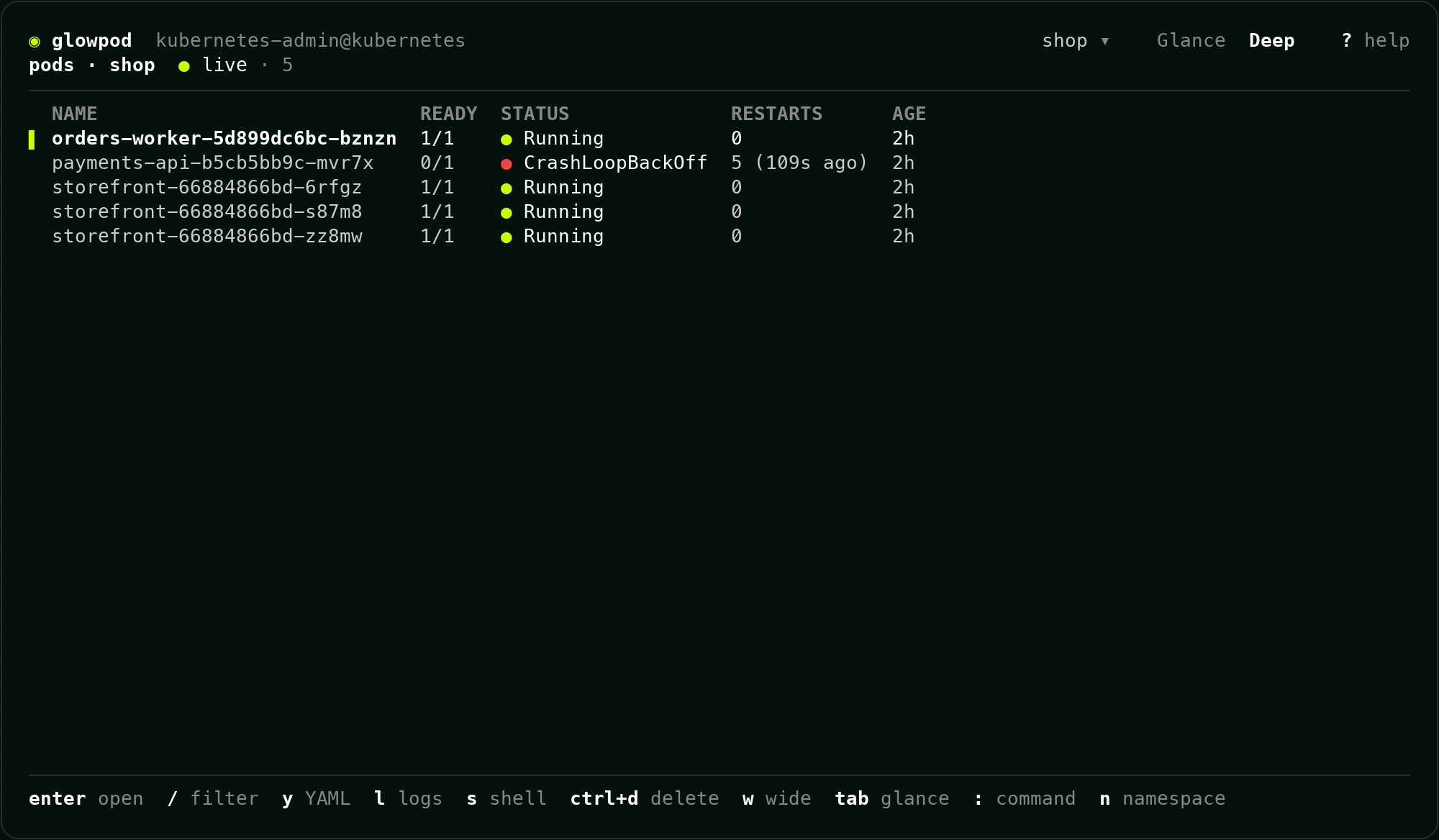
Press Tab for Deep: any resource as a live table with the API server's own
columns, the same ones kubectl get shows. CRDs work too. w adds the wide
columns, / filters as you type (/-l app=web filters by label), and n
switches namespace.
Logs, events and YAML
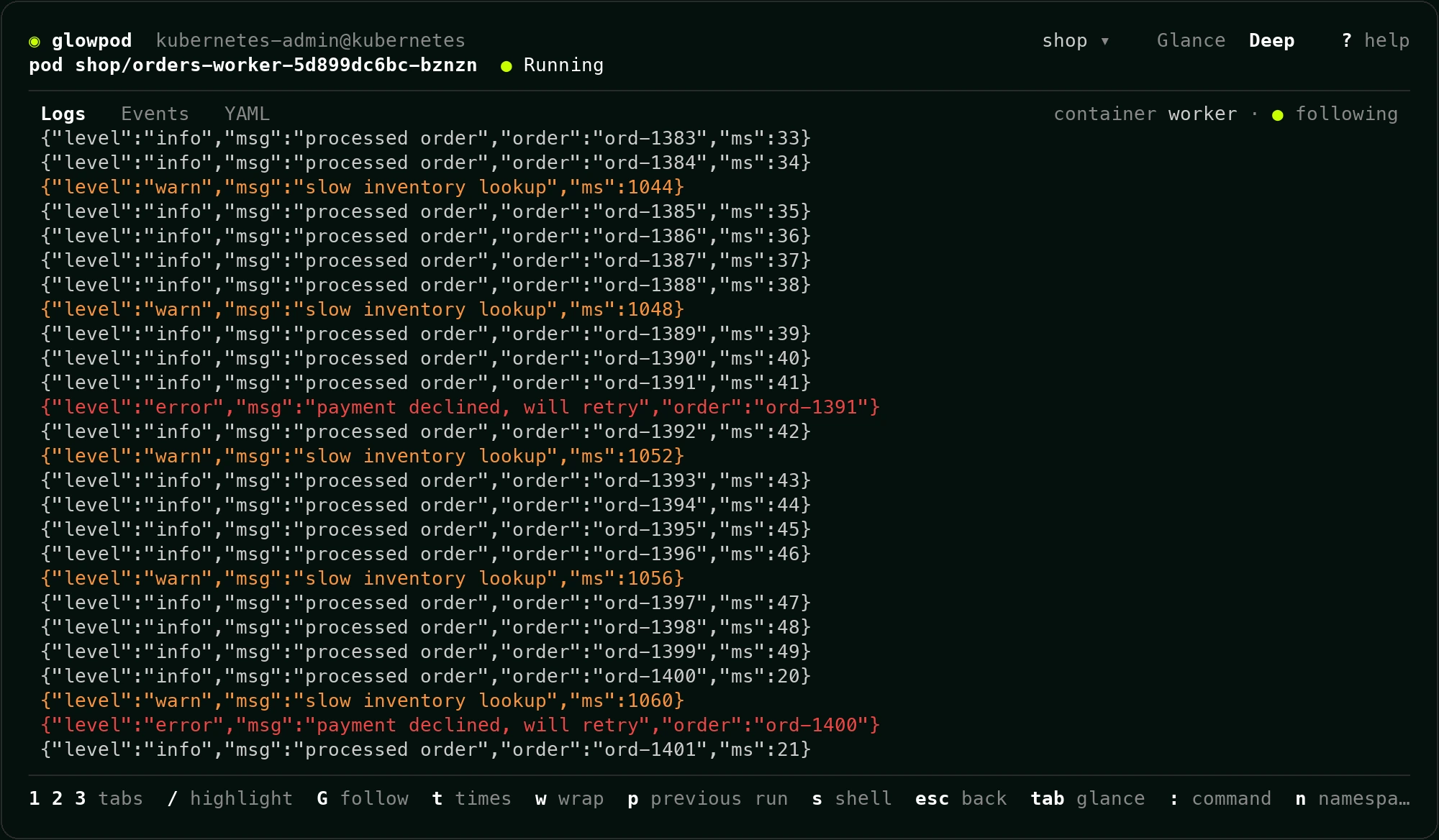
Open a pod with Enter, or press l on it, for its live logs. As in the web
dashboard, a line's own level decides its color: warnings orange, errors red.
1, 2 and 3 switch to Events and YAML, p shows the previous run after
a crash, t adds timestamps and G follows new lines again.
The command palette
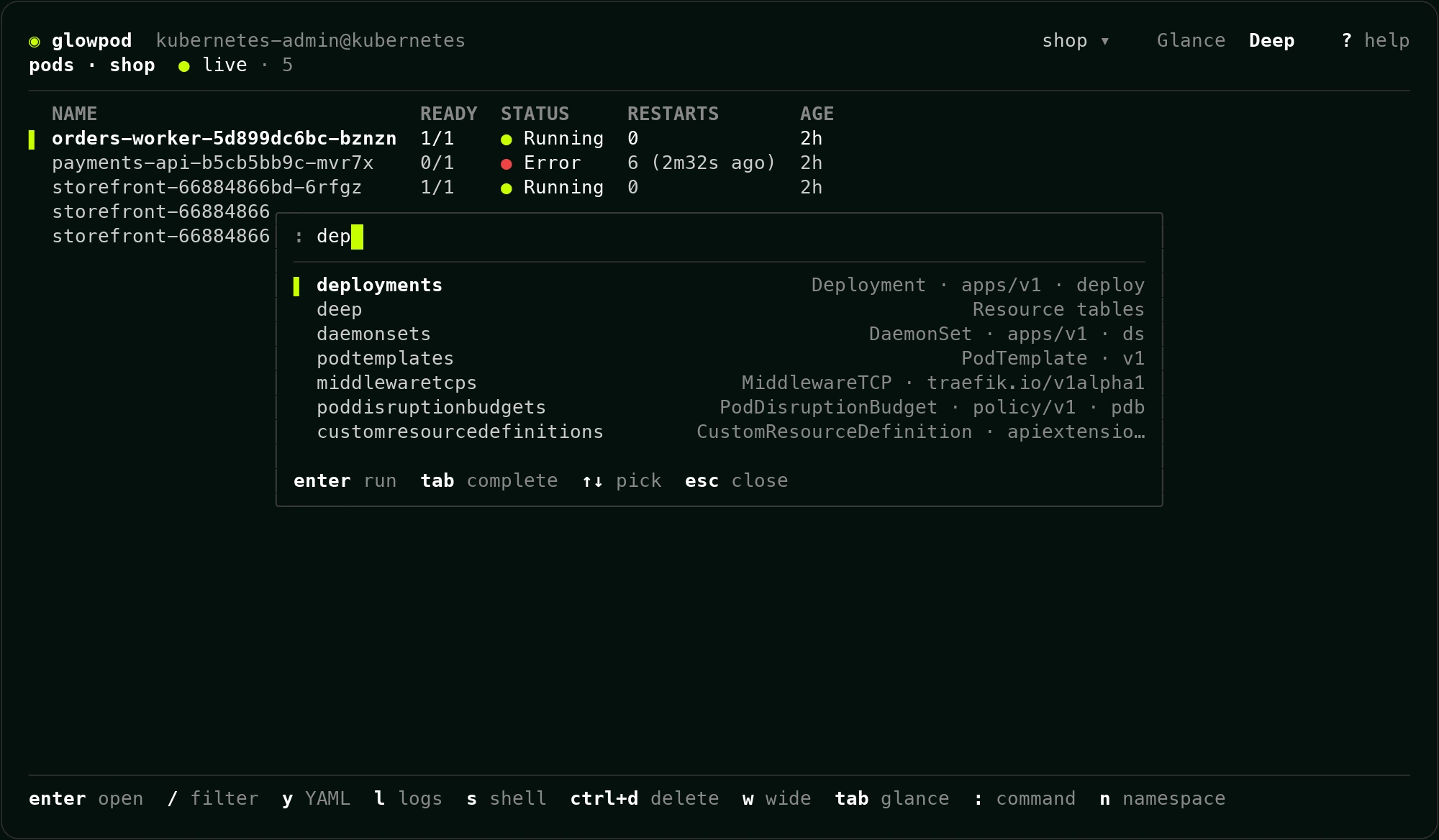
: (or ctrl+k) opens one prompt for everything: any resource by name,
singular, kind or short name (:po, :deploy, :svc, any CRD), a namespace
(:ns monitoring, :ns all), screens (:glance, :help) and actions on the
selected row. Tab completes and Enter runs it.
Keys
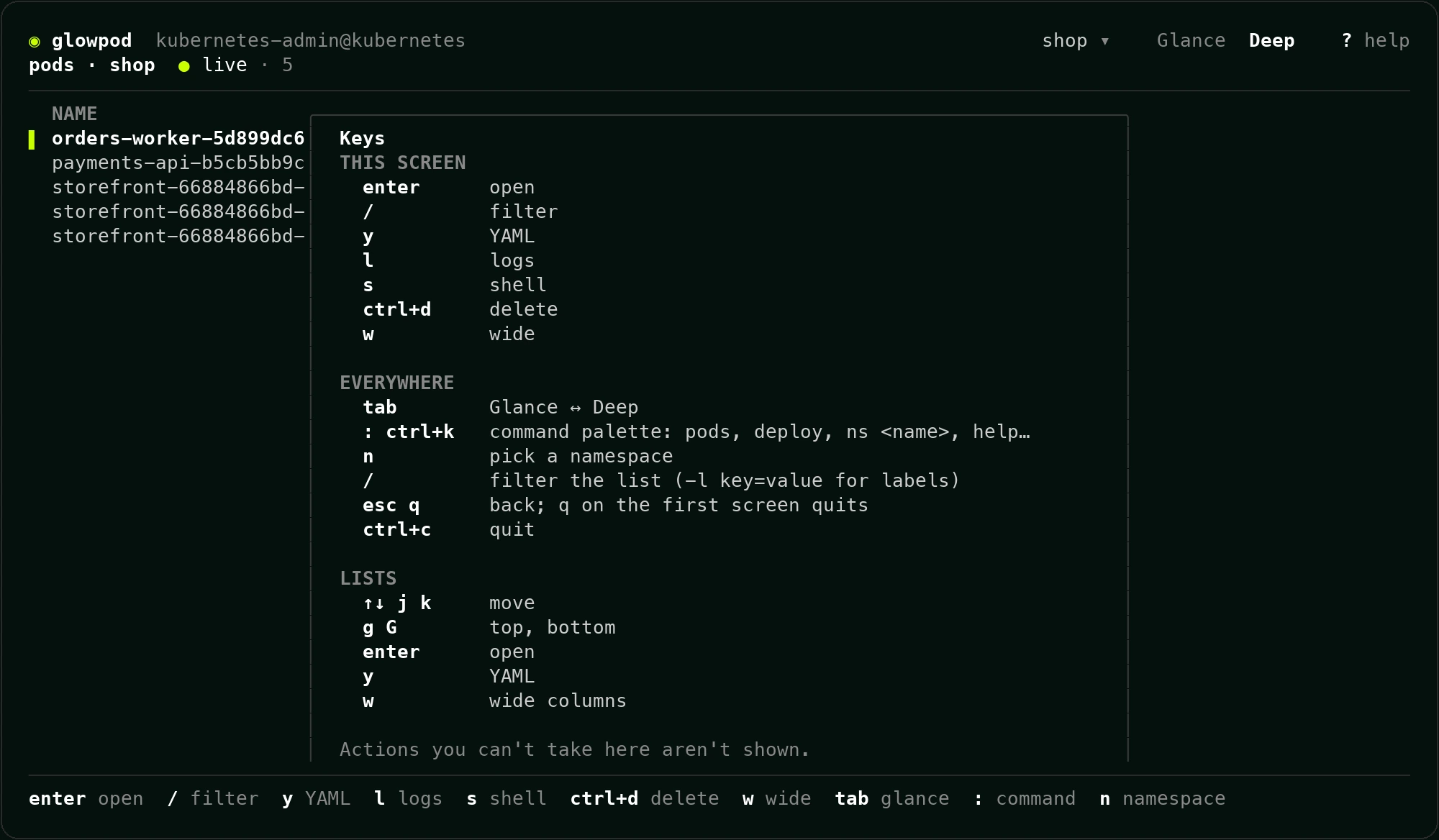
? shows every key for the screen you're on.
| Key | Does |
|---|---|
Tab |
Glance ↔ Deep |
: or ctrl+k |
Command palette |
/ |
Filter the list (-l key=value for labels) |
n |
Pick a namespace |
↑ ↓ or j k, g G |
Move, top, bottom |
Enter |
Open |
l |
Logs |
y |
YAML |
w |
Wide columns |
s |
Scale a workload, or a shell in a pod |
r |
Restart a Deployment, StatefulSet or DaemonSet (on Glance: refresh) |
ctrl+d |
Delete (type the name to confirm) |
Esc or q |
Back; q on the first screen quits |
ctrl+c |
Quit |
Scale, restart, delete and shell only appear when the cluster says you may do them. If your rights change while it's open, a refused action says so in plain words.
Coming next
Revealing Secret values, editing YAML, port-forward, a light theme, and signing in to your team's in-cluster Glowpod (SSO, LDAP or a token) instead of using a kubeconfig.